
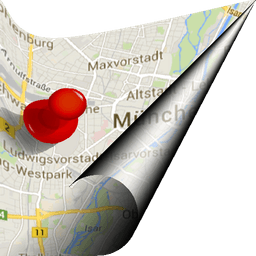
Screenshots
About EgiGeoZone Geofence
EgiGeoZone Geofence is a location-based automation app that uses your phone's sensors to detect when you enter or leave predefined zones, then automatically triggers actions without manual intervention.
Set up custom geographic boundaries around your home, workplace, or anywhere else. When your device crosses these zones, the app can execute a wide range of actions: send emails, contact home automation systems like FHEM, trigger Tasker routines, toggle Wi-Fi, control Bluetooth connectivity, or mute and unmute your phone's sound. You can also configure the app to reach out to custom URLs or remote servers, giving you control over connected devices and systems beyond your phone.
Home automation becomes hands-free. Use geofencing to open your garage door as you approach home, adjust your heating, turn lights on or off, or manage any smart home device your server supports. Arriving at work? The app can silence your phone automatically. Leaving? Sound switches back on. Bluetooth can enable when you leave home to pair with your car's hands-free system, then disable again when you return—preserving battery life without lifting a finger.
Coordination and scheduling grow simpler with location awareness. In car-sharing scenarios, the app can notify team members by email the moment a driver leaves a location, ensuring everyone arrives on time. Track presence and absence on remote servers for security, compliance, or shift management. Live tracking provides real-time location updates when you need them.
The app integrates with Tasker, letting you chain geofence events into complex automation sequences. For developers, EgiGeoZone offers a plugin framework so you can build custom triggers and actions tailored to your workflow. Configuring server connections and background email requires some technical knowledge, but the community forum provides guidance for setup questions.
EgiGeoZone Geofence works silently in the background, consuming minimal resources while waiting for you to cross a boundary. It's the engine behind location-triggered automation for Android users who want their devices to adapt automatically to where they are.
Pros & Cons
Pros
- Integrates with Tasker, FHEM, and custom URLs for powerful automation chains
- Triggers actions automatically without manual intervention when entering or leaving zones
- Runs silently in background with minimal resource consumption
- Supports both home automation and remote server notifications for real-time coordination
Cons
- Continuous background location monitoring may impact battery life over extended periods
- Requires technical knowledge to configure server connections and email setup
- Continuous location tracking raises privacy concerns for sensitive geographic data
- Android-only; no iOS or desktop companion app available
Related Apps

Microsoft PowerToys
Windows utilities and productivity tools — enhance your workflow with system tools, window management, and file preview features.

Windows Essentials 2012
Email, messaging, photo editing, video creation, and cloud storage—Windows Essentials 2012 includes all the productivity tools you need.

Free Download Manager
Download manager that speeds up transfers, organizes files by type, and syncs with Firefox and Chrome.

HWiNFO
Hardware monitoring for Windows—track CPU temp, GPU load, fan speed, voltage in real time.

TransMac
Read Mac drives and DMG files on Windows. Access APFS/HFS+ storage and create disk images.

TestDisk & PhotoRec
Recover lost files and repair disk partitions — free open-source data recovery tool for Windows.
Latest Articles

Play a free Color Ball Sort Puzzle-style game in your browser (no download)
Oct 6, 2026

Play a free Beach Buggy Racing-style kart racer in your browser (no download)
Oct 6, 2026

Play a free Alto's Adventure-style game in your browser (no download)
Oct 6, 2026

Free online whiteboard like Jamboard: use Quickboard in your browser, no signup
Oct 6, 2026

Free online running pace calculator: splits, race predictor and daily challenge, no download
Oct 6, 2026